An app MVP should do one thing completely: let a real user go from opening the app to getting the result they came for, without help from you. Everything that supports that path goes in. Everything that makes the path nicer, faster or more impressive can usually wait for version two.
On top of that core path, three things are not optional even in a first release: secure login, payments handled by a proper gateway, and crash reporting. Skip those and you will spend your version two budget fixing version one. Cut almost everything else hard. The point of the first release is to find out if people want the product, not to show them every idea you have.
The one path a user must be able to finish
Before anyone writes a line of code, write down the single sequence of screens that delivers the value of your app. For a home-services booking app it might be: sign up with phone OTP, pick a service, choose a slot, pay, get a confirmation, receive the service, rate it. For a B2B ordering app: log in, browse the catalogue, add to cart, place the order, see its status.
That sequence is your MVP. Test every proposed feature against one question: does a user need this to finish the path? If the answer is "no, but it would be nice", it goes on the version two list.
A few practical rules we use when scoping this with founders:
- The path must end in real value. A user who signs up and browses but can't book, buy or submit anything hasn't tested your idea. They've tested your onboarding.
- Manual is fine behind the scenes. If orders land in a simple admin panel and your team assigns them by phone, that's acceptable for a first release. Automate once you know the volume justifies it.
- Pick one user type. Marketplace apps often try to build the customer app, the vendor app and the admin dashboard in full on day one. Usually one side can run on a basic web panel or even a shared spreadsheet for the first few months.
- Pick one platform if your users allow it. If most of your customers are on Android, launching there first is a reasonable call. A cross-platform framework like Flutter or React Native keeps the iOS option open without doubling the work.
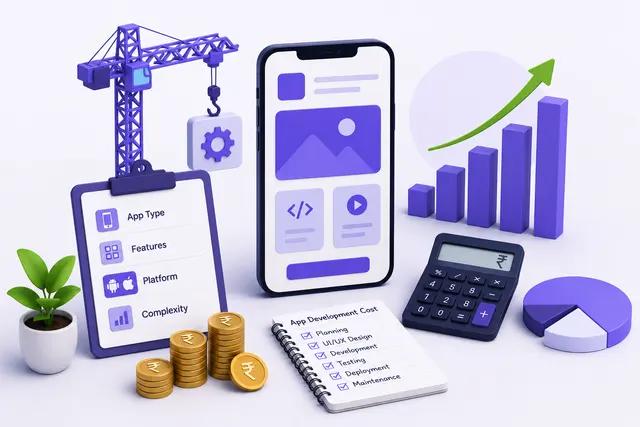
Once the path is written down, the build becomes much easier to estimate. That's the point where founders ask what it will cost, and our guide to mobile app development cost in India breaks down how scope drives the figure.
Features that feel essential but can wait for version two
These are the features founders most often insist on, and most often regret paying for early:
- In-app chat. Real-time chat needs message storage, push notifications, read receipts and moderation. A WhatsApp click-to-chat button or a call button does the same job in a first release.
- Social login with five providers. Phone OTP alone covers most Indian users. Note that if you add Google login on iOS, Apple's App Store guidelines generally expect you to offer Sign in with Apple as well, so each provider adds more work than it looks.
- Loyalty points, referral codes and wallets. These are growth tools. They make sense once you know people come back on their own. Wallets in particular bring compliance questions you don't need yet.
- Multiple languages. Build with translatable strings from the start so adding Hindi or a regional language later is cheap. But launch in the language your first users actually use.
- Detailed analytics dashboards for you. Firebase Analytics or Mixpanel will give you funnels and retention out of the box. Custom admin reports can come later.
- Dark mode, animations and custom illustrations. Good design matters. A clean, consistent interface built from a standard component library is enough to test demand.
- Offline mode. Unless your users genuinely work without signal, such as field sales teams in rural areas, offline sync is complex and easy to get wrong. Show a clear "no connection" message instead.
- Recommendations and AI features. You need usage data before a recommendation engine has anything useful to recommend. Sort by popularity or recency first.
None of these are bad ideas. They're version two ideas, and you'll build them better once you know how people actually use the app.
What you must not skip: login, payment security and crash reporting
Cutting scope doesn't mean cutting corners. Some things cost far more to fix after launch than to do properly the first time.
Login and account handling
Use an established authentication service such as Firebase Authentication, or OTP through a provider like MSG91, rather than a home-made login system. Rate-limit OTP requests, or someone will run up your SMS bill. Both Apple and Google require apps that let users create an account to also let them delete it from within the app, so build that screen now. India's Digital Personal Data Protection Act, 2023 also means you should collect only the personal data you need and have a clear privacy policy before you go live.
Payments
Never handle or store card details yourself. Use the official SDK from a gateway such as Razorpay, Cashfree or PayU, and let them carry the PCI DSS burden. The part teams skip is server-side verification: always confirm the payment status from your backend through the gateway's API or webhook, never by trusting what the app reports. We've seen apps mark orders as paid because the phone said so. Also test refunds and failed payments, not just the happy path.
Crash reporting
Firebase Crashlytics or Sentry takes very little effort to add and tells you which device, OS version and screen caused a crash. Without it, your first signal is a one-star review that says "app not working". On Android in India you'll meet a wide spread of low-end devices and older OS versions, and you can't test them all before launch.
Deciding version two from real usage data
Version two should be written by your users' behaviour, not your original wishlist. Before launch, set up event tracking for every step of the core path, so you can see a funnel: how many opened the app, signed up, reached the key screen, completed the action, and came back.
After a few weeks of real usage, look at:
- Where people drop off. If most users sign up but never book, fix that step before adding anything new. That's almost always the best use of the next budget.
- Whether anyone comes back. Repeat use is the clearest sign the idea works. If retention is weak, new features rarely fix it. Talk to users first.
- What people ask for repeatedly. Track support calls, WhatsApp messages and reviews in one sheet. A request that shows up again and again from paying users ranks above one loud suggestion.
- What your team does by hand. If someone spends hours a day assigning orders or sending reminders, automating that is a strong version two candidate.
- Crash and performance data. Stability problems on common devices go to the top of the list.
Then rank the candidates by how much they move the core path against how much they cost to build. Go back to the wishlist from before launch and you'll usually find half of it no longer matters.
Practical advice before you sign off the scope
If you can't describe your core path in one sentence, you're not ready to build. Spend another week with potential users first.
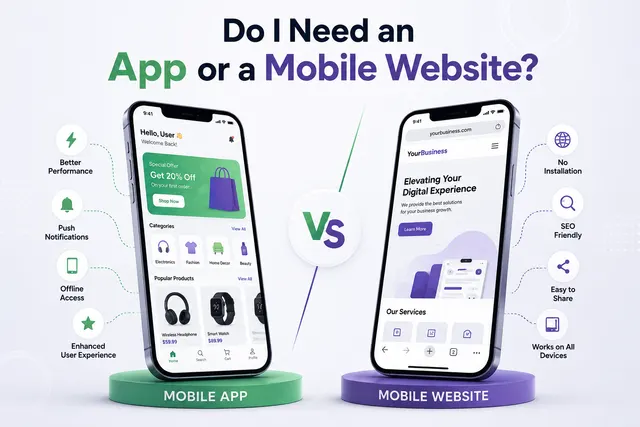
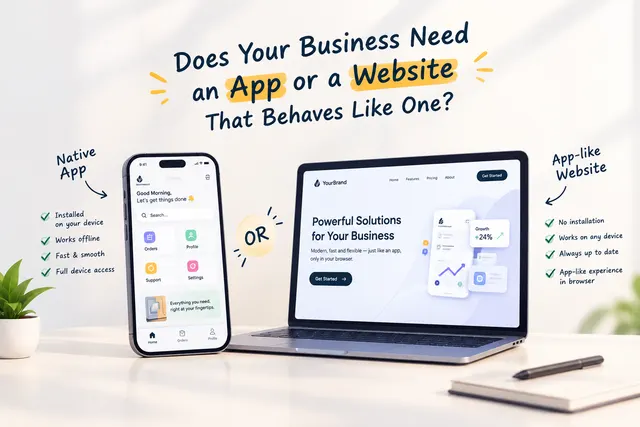
Sometimes the cheaper option is the right one. If your idea is mostly about taking orders or bookings, a well-built mobile website or a WhatsApp Business flow can test demand before you commit to a native app. If you're running an internal tool for a small team, a no-code builder may be enough for the first year. Build a proper app when you need push notifications, device features like camera or location, or the kind of repeat use that justifies a home-screen icon.
Keep a written version two list from day one, and agree with your developer that anything not on the MVP list goes there. That single document prevents most scope creep and most budget overruns.
If you want a rough figure for your own scope, try the pricing calculator.