Most small businesses should start on the free WhatsApp Business app and stay there until a specific problem forces a move. If one or two people answer customer chats, you mostly reply to messages rather than send them out, and your contact list is in the hundreds rather than the thousands, the app does the job and the API adds cost and admin you don't need.
You need the WhatsApp Business API when several staff must work the same number at once, when you want to send order updates or offers to large lists without being blocked, or when WhatsApp has to connect to your website, CRM or billing system. The API is not a better version of the app. It's a different product built for volume and integration, and it comes with rules you have to follow.
What the free WhatsApp Business app handles well
The app is a normal WhatsApp install with features made for a shop or service business. Used properly, it covers more than most owners realise:
- Business profile: address, hours, website, email and a short description, so customers aren't asking basic questions.
- Catalogue: products or services with photos and prices that customers can browse inside the chat. Useful for a boutique, bakery, salon or hardware store.
- Quick replies: saved answers you trigger with a shortcut, such as "/hours" or "/delivery". This alone saves a lot of typing.
- Greeting and away messages: an automatic first reply for new customers and a message outside working hours.
- Labels: tag chats as "New enquiry", "Payment pending" or "Delivered" so nothing slips. For a small team this is a perfectly workable pipeline.
- Short link and QR code: put them on your Google Business Profile, Instagram bio, packaging and shop counter.
- Linked devices: you can use the same account on WhatsApp Web or desktop alongside the phone, so a second person can reply from a computer.
For a clinic taking appointment requests, a local caterer quoting for events or a D2C brand doing a few dozen orders a day, this is often enough. The conversations are personal, the owner or one staff member knows the customers, and the response speed is fine.
The signs you have outgrown the app
The move to the API should come from a real pain, not because a vendor told you it looks more professional. These are the signs we see most often.
Several agents are fighting over one phone
Linked devices help, but there's a limit to how many you can add, and there's no proper assignment. Two people reply to the same customer, or nobody does because each assumed the other would. You can't see who handled which chat or how long a customer waited. If you have three or more people on WhatsApp all day, a shared inbox on the API (through a provider's dashboard) with chat assignment and agent-level history fixes this.
Broadcasts aren't reaching people
Broadcast lists on the app are capped at 256 contacts per list, and a broadcast only reaches people who have saved your number in their phone. Many owners discover their "1,000-person broadcast" actually reached a fraction of that. Sending the same message to many people in individual chats risks your number being reported and banned. If outbound messaging to opted-in customers is a regular part of your sales, the app is the wrong tool for it.
You want automation beyond a greeting message
The app can send a greeting and an away message. It can't send an order confirmation when someone pays on your website, a delivery update when your courier status changes, an appointment reminder the day before, or an OTP. It also can't run a menu-style bot that answers "track my order" or "store timings" on its own. All of that needs the API plus some integration work.
WhatsApp data is stuck on one phone
If leads come in on WhatsApp but your sales team works from a CRM like Zoho or HubSpot, someone is copying details by hand. With the API, chats and contacts can flow into the CRM automatically. If that copying is costing you leads, it's a valid reason to switch.
What the API needs: a provider, approved templates and a verified business
This is where expectations usually go wrong. The API has no app of its own. You either build on Meta's Cloud API directly (which needs a developer) or, more commonly, sign up with a Business Solution Provider such as Interakt, AiSensy, Wati or Gupshup, who give you a dashboard, shared inbox and broadcast tools on top.
Here's what you'll have to sort out:
- A Meta Business account and business verification. You'll be asked for documents that match your business name, typically a GST certificate, incorporation certificate or similar proof. Mismatches between the legal name, the documents and the website are the most common reason verification gets stuck.
- A phone number for the API. Traditionally, a number on the API couldn't stay on the regular app. Some providers now support "coexistence", where the same number works in both, but check this carefully with your provider before moving your main number, and don't assume old chat history comes across.
- Approved message templates. When a customer messages you, you can reply freely within a 24-hour window. Anything you start, such as an offer, a reminder or a payment link, must use a template Meta has approved, categorised as marketing, utility or authentication. Templates with misleading or aggressive wording get rejected.
- Opt-in from customers. You need customers' permission to message them. Buying a list and blasting it lowers your quality rating, and a poor rating limits how many people you can message per day or gets the number restricted.
- Messaging limits that grow over time. New numbers start with a cap on business-initiated messages per day, which rises as you send good-quality messages that people don't block.
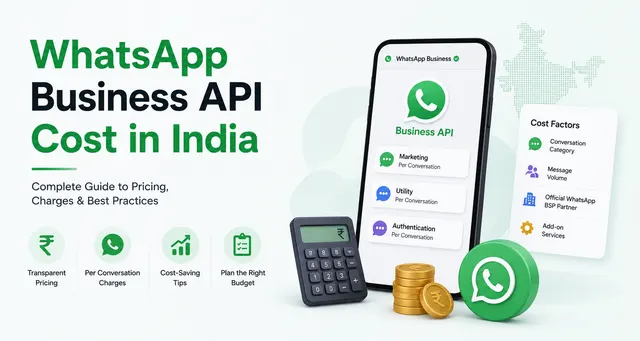
Costs come from two places: Meta's per-message charges on templates, and the provider's own subscription, plus 18% GST. The figures change and depend on message category, so we keep them in a separate guide on WhatsApp Business API cost in India.
When staying on the app is the right decision
Staying on the free app is a sensible business decision, not a sign you're behind. It's the right call when:
- Most chats start with the customer, and you're replying rather than broadcasting.
- One or two people handle WhatsApp, and they know the regular customers by name.
- You don't yet have a website checkout, booking system or CRM that would feed automated messages. Without a system to connect, the API is just an expensive inbox.
- Your margins don't justify a monthly subscription plus per-message charges for promotions that customers may ignore.
- The personal touch is the point. A tailor, tutor or interior designer often wins on the owner replying directly, and a templated message can feel colder.
A common mistake is moving to the API, paying for a provider plan, and then using it exactly like the app because nobody set up templates, flows or integrations. If you can't name the three or four automated messages you'd send in the first month, wait.
Practical advice before you decide
Get the most out of the app first. Fill in the profile, build the catalogue, set up quick replies and labels, and put your QR code everywhere customers find you. Many businesses that think they need the API actually need these basics done properly.
When you do move, start with utility messages such as order confirmations, delivery updates and reminders, because customers welcome them. Add marketing broadcasts later, and only to people who opted in. Get your business verification documents in order before you sign up with a provider, and ask any provider about coexistence, contract length and whether you can export your contacts if you leave.
If you want a rough idea of what a WhatsApp integration with your website or CRM would involve, try the pricing calculator or contact us.