The short answer: don't judge an agency by its pitch deck. Open the sites in its portfolio on your own phone, check that the agency really built them, and speak to at least two past clients the agency didn't hand-pick for you. That takes an afternoon, and it tells you more than any sales call.
Most portfolio problems only show up when you look closely. A site that looks sharp in a screenshot may load slowly, break on a small screen, or turn out to be built by someone else entirely. Here's how to check each of those yourself, without technical knowledge.
How to test a portfolio site yourself on a phone
Your customers will mostly see your site on a phone, so that's where you should judge the agency's work. Pick three or four live sites from the portfolio, ideally ones in an industry close to yours, and open them on your own phone using mobile data, not office Wi-Fi.
- Time the first load. Does useful content appear quickly, or do you stare at a blank screen or a spinning loader? A site that's slow on your phone will be slow for your customers too.
- Tap everything. Open the menu, tap the phone number, the WhatsApp button, the "Get a quote" button. Buttons too small to tap, phone numbers that don't open the dialler and menus that won't close are common faults.
- Fill in a form. Check whether the keyboard covers the fields, whether the phone field brings up a number pad, and whether you get a clear confirmation after submitting. Use a test message and say so, so you don't waste the business's time.
- Scroll the whole page. Watch for text running off the edge, images that jump around as the page loads, and pop-ups you can't dismiss.
- Turn the phone sideways. Layouts that only work in one orientation were not tested properly.
Then run each site through Google's free PageSpeed Insights. Look at the Core Web Vitals: Google considers Largest Contentful Paint under 2.5 seconds, Interaction to Next Paint under 200 milliseconds and Cumulative Layout Shift under 0.1 as "good". Don't reject an agency over one weak score, because the client may have added heavy scripts or videos after launch. But if every site in the portfolio fails, that's a pattern, not bad luck.
How to confirm the agency actually built what it shows
Some agencies list sites they only redesigned a logo for, sites built by a freelancer they later hired, or sites they did years ago that have since been rebuilt by another company. A few checks will tell you which is which.
- Look at the footer. Many sites carry a "Designed by" credit. If it names a different agency, ask about it directly. There may be an honest explanation, such as the agency handling only SEO or a later redesign.
- Check the Wayback Machine. Paste the URL into web.archive.org and look at snapshots over time. If the site the agency claims looked completely different around the date it says it delivered the project, ask why.
- Check what it's built on. A free browser extension like Wappalyzer, or a site like BuiltWith, shows whether a site runs on WordPress, Shopify, a custom build or something else. If the agency told you it builds everything custom and half its portfolio is off-the-shelf themes, that matters.
- Ask for the project specifics. Which pages did they design? Who wrote the content? Who handled hosting? Did they build the booking system, or plug in a third-party one? A team that did the work answers this easily and in detail.
- Ask to see work in progress. A staging link, a Figma file or a project tracker from a current job (with client details hidden) shows how they actually work, not just the finished result.
One more test: ask the person pitching you who will work on your project. If the portfolio was built by a senior team and your site will be handed to a new junior, the portfolio tells you less than it seems.
What to ask a past client on a reference call
Ask the agency for two or three client contacts, then find one more on your own from the portfolio. Call the business through its website and ask for whoever handled the project. Agencies naturally give you their happiest clients, so the one you find yourself is often the most useful conversation.
Keep the call to ten minutes and ask specific questions:
- Was the site delivered when they said it would be? If it was late, why, and how did the agency handle it?
- Did the final bill match the quote? Were there extra charges, and were they explained upfront?
- Who did you deal with day to day, and how quickly did they reply?
- Do you have the admin login, the domain and the hosting account in your own name?
- Can you update text and images yourself, or do you need to ask them every time?
- What happened when something broke after launch?
- Would you hire them again for your next project?
Listen for hesitation more than criticism. A client saying "they were a bit slow on revisions but always fixed things" is normal. A client who pauses and says "it's fine now" usually has a story worth hearing. And if the client doesn't own their own domain or hosting, treat that as a serious warning sign about how the agency handles ownership.
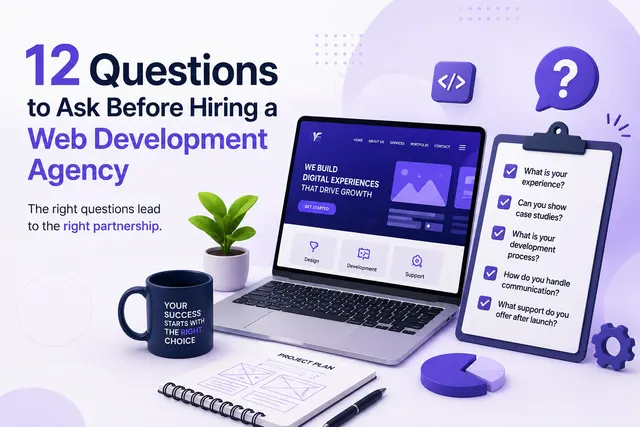
Once you're comfortable with the work, the next question is usually what it will cost and what's included. We've covered that, along with the contract terms to check, in our guide on questions to ask before hiring a web development agency.
Portfolio warning signs: dead links, stock mockups, no named clients
Some problems are visible before you even make a call.
- Dead or parked links. If several portfolio sites don't load, show a hosting error or redirect to a "domain for sale" page, ask what happened. Businesses do close, but a portfolio full of dead sites suggests the agency hasn't updated it in years, or the sites never went live.
- Stock mockups only. A laptop on a wooden desk showing a pretty homepage proves nothing. If there's no live URL behind the image, ask for one. Use Google Lens on the image too; sometimes the "design" is a template preview from ThemeForest or a Dribbble concept.
- No named clients. "A leading Delhi real estate firm" could be anyone. NDAs do exist, especially for internal software, but an agency building public websites should be able to name and link most of its clients.
- Every site looks the same. Same layout, same fonts, same hero section with different colours usually means one template reused. That's not always bad, but you should know you're buying a template, not custom design.
- Only big brand logos. A row of famous logos with no case study often means the agency did a small piece of work, or one person on the team once worked there.
- Testimonials with no surname or business. "Great work! – Rahul" can't be checked, so give it no weight.
What we'd actually advise
Match the depth of checking to the size of the project. For a simple five-page brochure site, testing three portfolio sites on your phone and making one reference call is enough. For an e-commerce store, a booking system or anything tied to payments and customer data, do every check above and ask to see code or a staging environment.
Don't overpay for a portfolio you don't need. If all you need is a clean site with your services, contact details and a WhatsApp button, a smaller agency or a reliable freelancer with three solid, verifiable live sites is often the better choice than a big agency with a glossy deck. Paying for a team that builds complex platforms makes sense only if you're asking for one.
And if an agency gets defensive when you ask to verify its work, take that as your answer. Good teams are glad you checked.
If you'd like a rough figure before you start talking to agencies, try the pricing calculator.