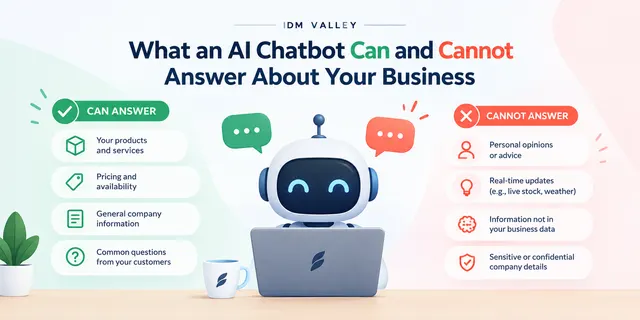
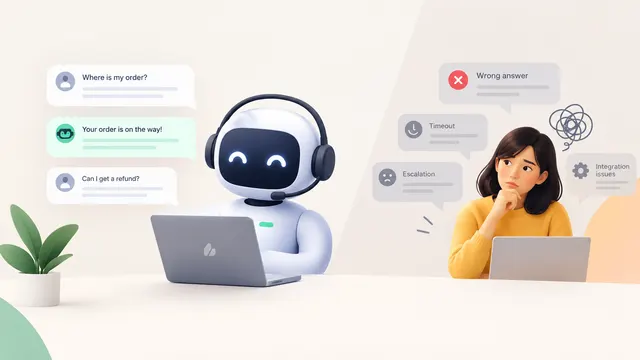
An AI chatbot on your website should stop answering and pass the conversation to a person in four situations. The first is when someone is unhappy. The second is when money is involved and the amount isn't already fixed and published. The third is when the answer depends on a judgement only your staff can make. The fourth is when the visitor asks for a human or the bot has failed to help twice in a row. In practice that means complaints, refund and cancellation requests, custom quotes, and anything that edges into legal, medical or financial advice.
Deciding when to hand over is the easy part. Most chatbots lose leads at the handover itself. A good one passes the full transcript to your team, captures a name and phone number or email, and tells the visitor honestly when they'll hear back. If you get those three things right, the bot works like a front desk. If you get them wrong, it's a wall between your customer and your business.
Questions a chatbot should never answer alone
Complaints
A bot can acknowledge a complaint and collect the facts: order number, date, what went wrong, a photo if relevant. It shouldn't try to resolve it. Language models are trained to be agreeable, so they tend to over-apologise, promise things your policy doesn't allow, or argue politely with someone who is already angry. Write the bot's script so it says something like: "I'm sorry this happened. I've noted the details and passed them to our team, who will contact you." Then it stops.
Refunds and cancellations
This is where AI bots create real liability. If the bot invents or misreads your refund policy, the customer will screenshot it. In 2024 a Canadian tribunal held Air Canada responsible for wrong refund information its website chatbot gave a customer, and courts and consumer forums elsewhere can take the same view. The bot can link to your written policy. Any decision about a specific order goes to a person.
Custom quotes
If your prices are fixed and published, say a clinic's consultation fee or a product on your store, the bot can repeat them. If the price depends on scope, quantity, location or materials, it can't. A bot that guesses a quote either scares off a good lead or commits you to a number you can't honour. Let it ask the qualifying questions instead: what do you need, roughly how much, by when, where. Then it passes those answers to your sales person so they start the call already informed.
The other handover triggers
- Any request involving a specific account, booking or payment that needs identity checks.
- Medical, legal, tax or investment questions beyond general information you've approved.
- Signs of frustration: repeated questions, capitals, words like "useless" or "complaint".
- Two answers in a row where the bot says it doesn't know or the visitor rephrases the same question.
- Any direct request to speak to someone. Don't make people ask three times.
How a handover should work: transcript, contact details, reply time
Ask for contact details at the point of handover, not at the start. Forcing a name and phone number before someone can ask a simple question drives people away. When the bot hands over, it should ask for name, phone or email, and preferred channel. WhatsApp is the usual answer in India. Get explicit consent before you message them on WhatsApp, and under the DPDP Act 2023 collect only what you actually need.
Send the transcript to where your staff already work. That might be an email inbox someone watches, a WhatsApp Business number, or a lead record in your CRM, whether that's Zoho, HubSpot or something your team built. Put a one-line summary at the top, for example "Wants bulk quote, 500 units, Gurugram, needs by month end", with the full conversation below. The worst handover makes the customer explain everything again.
Tell the visitor exactly what happens next. "Someone from our team will call you within two working hours" is useful. "We'll get back to you soon" isn't. Only promise a time you consistently meet. If your team realistically responds the same day, say same day.
Name an owner. Every handover needs one person responsible for it, not a shared inbox that everyone assumes someone else is checking. This setup work, meaning the routing, CRM fields and scripts, is where much of the build effort goes. It's worth knowing what an AI chatbot for a website costs before you decide how much integration you want.
What happens outside office hours
This is when a chatbot earns its keep, and also when it most often misleads people. At night the bot should still answer the routine questions it's allowed to answer. When a handover trigger comes up, it should say plainly that the team is offline, give the next opening time, capture details, and set a specific expectation, such as "We'll call you after 10 am on Monday."
Don't fake a live agent. A "connecting you now..." message followed by silence is worse than no chat at all.
For businesses with genuinely urgent cases, like a hospital, a hotel or a property manager handling a water leak, the bot should show an emergency phone number rather than take a message. Keep the bot's holiday calendar updated. Diwali week and long weekends are when "we'll reply tomorrow" quietly becomes a lie. If you serve export clients, put the reply time in their time zone.
Finally, someone has to clear the overnight queue first thing in the morning. Leads that wait until afternoon have often already called a competitor.
How to measure whether handovers turn into enquiries
Track a short chain of numbers every month:
- Handovers by reason: complaint, quote, refund, asked for human, bot failed.
- Contact capture rate: handovers where you got a usable phone or email.
- Actual response time compared with the time the bot promised.
- Qualified enquiries: handovers your sales team marks as a real lead in the CRM, with the source tagged "chatbot handover".
- Won business from those leads, where your sales cycle makes that trackable.
Illustrative example only: say a month has 200 chats and 40 handovers. Of those, 30 visitors left contact details, a 75% capture rate. Of the 30, 12 became qualified enquiries, which is 40%. If capture is low, the bot is probably asking for details badly or too late. If capture is high but few become enquiries, look at your response time and your follow-up script before you blame the bot.
In GA4, set up events such as chat_open, handover_requested and contact_submitted so you can see where people drop off. Also read about twenty transcripts a week. Numbers tell you something is wrong. Transcripts tell you what.
What we'd actually advise
If your site gets only a handful of enquiries a week, you probably don't need an AI chatbot. A visible WhatsApp button, a short contact form and a clear phone number will serve you better and won't invent answers. A simple rule-based bot with good handover often beats an AI bot that guesses.
Don't switch on handover until someone is actually assigned to answer it. Start the bot on a narrow set of questions you're confident about, keep the handover triggers generous, and widen the scope only after a month of reading transcripts.
If you want a rough figure for your setup, try the pricing calculator.